How to Make a Scientific Poster: Step-by-Step Guide
Make a research poster in 8 steps: sizes (A0, 48x36 in), layout, font sizes, figures, colours, free templates and print export, with a checklist.
Last updated: October 11, 2026. Sizes and product details were checked against the sources listed at the end.
Quick answer: To make a scientific poster, confirm the conference size (often A0 or 48 x 36 in), write one take-home message, choose a three- or four-column template, put figures before text, use large readable fonts, apply a colour-blind-safe palette, and export a print PDF at full size. Free templates such as PosterScientist speed up the layout.
What is a scientific poster?
A scientific poster is a large printed or digital summary of a research project, presented at a conference session where authors stand by the poster and discuss it with visitors. A good poster communicates one main finding visually, usually through a title, short introduction, methods, results figures, conclusions and references.
What size should a scientific poster be?
| Format | Dimensions | Typical use |
|---|---|---|
| A0 portrait | 841 x 1189 mm (33.1 x 46.8 in) | Most European and many Asian conferences |
| A1 portrait | 594 x 841 mm | Smaller sessions, departmental days |
| 48 x 36 in landscape | 1219 x 914 mm | Common at North American meetings |
| 36 x 48 in portrait | 914 x 1219 mm | North American portrait boards |
| 42 x 42 in | 1067 x 1067 mm | Some medical and engineering meetings |
| E-poster | Usually 16:9 screen | Digital poster sessions |
A0 is defined by ISO 216 as one square metre in area. Always follow the board size and orientation in your conference instructions; a landscape poster on a portrait board is a common, avoidable problem.
Which tools can you use to make a poster?
PosterScientist
PosterScientist is a free online research poster maker. You pick a template, fill in title, methods, results and conclusions, arrange sections by drag and drop, and download an editable PowerPoint (.pptx) at A0, A1, 48 x 36 in, 36 x 48 in, 42 x 42 in or other print sizes; SVG download is also offered. Premium templates are available through a one-time Pro Lifetime purchase (listed at US$29 on the site when checked).
Sciicons and LabCanvas
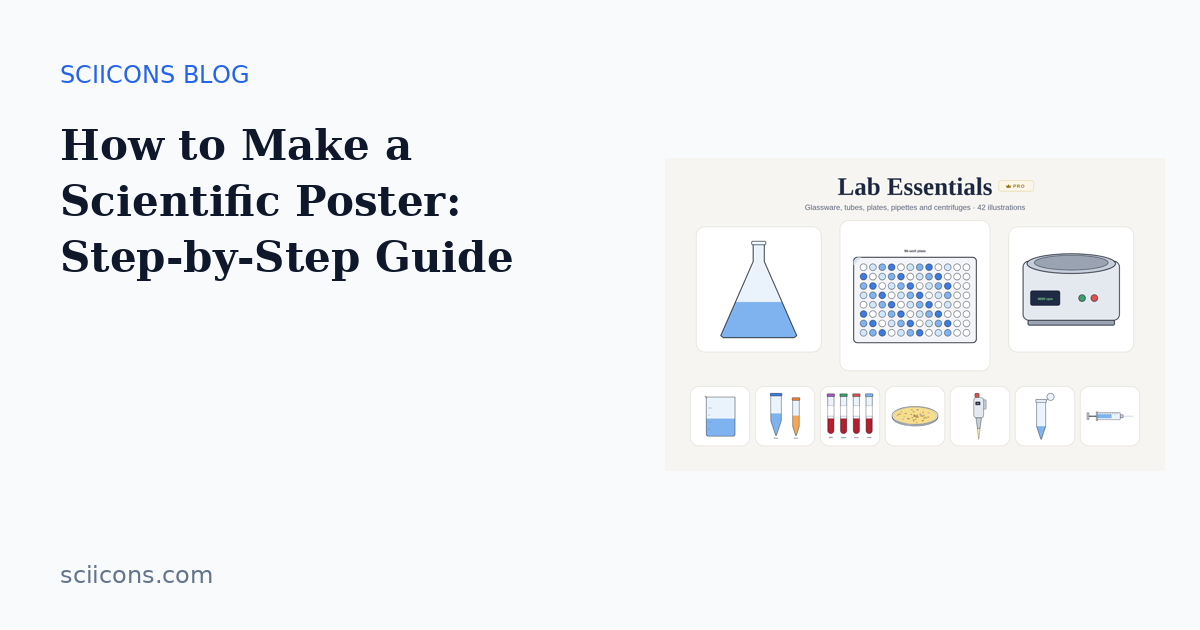
Sciicons supplies free SVG scientific illustrations for poster figures, plus Pro packs such as Lab Essentials and Assays for methods panels. LabCanvas is a browser-based design platform with a 2D canvas, molecule and protein visuals and a chart editor for building figure panels.
General-purpose software
PowerPoint and Google Slides are the most familiar options; set the slide size to the final poster size before you start. Inkscape (free) and Affinity (free with a Canva account since 2025) give more precise vector control. Adobe Illustrator is the paid professional standard.
How do you make a scientific poster step by step?
Step 1: Read the conference requirements
Note the board size, orientation, deadline, whether a printed or e-poster is required, and any template or logo rules. Write these on your first slide so you design to the right canvas.
Step 2: Write your take-home message
Write the single sentence you want visitors to remember, for example "Drug X halves tumour growth in organoids by blocking pathway Y." Put it in the title or in a highlighted box near the top.
Step 3: Choose a layout
Use three columns for portrait A0 and four columns for landscape 48 x 36 in. Readers scan top-left to bottom-right, so follow the logical order: Introduction, Methods, Results, Conclusions. A central "results hero" layout, with the main figure in the middle, also works well.
Step 4: Make the figures first
Figures are the poster. Redraw small paper figures at poster scale with thicker lines (at least 2–3 pt) and larger axis labels. Use schematic illustrations for methods, for example icons from the Sciicons lab equipment illustrations, and the Well Plate Colorer or Gel Builder for plate layouts and gels.
Step 5: Cut the text
Replace paragraphs with short bullet points. Keep the total to a few hundred words. Use the poster to start a conversation; the details go in your talk, a handout or a QR code linking to the paper or preprint.
Step 6: Set readable typography
| Element | Suggested size at A0 / 48 x 36 in |
|---|---|
| Title | 72–120 pt |
| Authors and affiliations | 36–48 pt |
| Section headings | 36–48 pt |
| Body text | 24–32 pt |
| Figure labels and captions | at least 18–24 pt |
Use one sans-serif family, left-aligned text and high contrast (dark text on a light background). These sizes are common guidelines rather than a formal standard; print an A4 proof and check that body text is readable at arm's length.
Step 7: Apply colour carefully
Choose two or three colours plus neutral grey. About 1 in 12 men and 1 in 200 women have red-green colour vision deficiency (National Eye Institute), so avoid red/green contrasts and use colour-blind-safe palettes such as Okabe–Ito. See our guide to colour-blind-safe palettes for scientific figures.
Step 8: Proof, export and print
- Check spelling, author names, affiliations and funding acknowledgements.
- Zoom to 100% and check that images are not pixelated (aim for 150–300 dpi at final size).
- Export a PDF with fonts embedded.
- Order the print several days early; fabric posters fold into luggage, paper posters need a tube.
What are the most common poster mistakes?
- Too much text and too-small fonts.
- Low-resolution figures copied from a PDF.
- No clear take-home message.
- Inconsistent fonts, colours and icon styles across panels.
- Wrong size or orientation for the board.
Poster checklist
- ☐ Correct size and orientation
- ☐ Title states the finding
- ☐ Main figure visible from 2 metres
- ☐ Body text 24 pt or larger
- ☐ Colour-blind-safe palette
- ☐ Logos, funding and references included
- ☐ QR code to paper, preprint or contact
- ☐ PDF exported with embedded fonts and checked at 100%
Sources
- PosterScientist: https://www.posterscientist.com/ (checked 11 Oct 2026)
- ISO 216 paper sizes (A0 = 1 m², 841 x 1189 mm): https://www.iso.org/standard/36631.html
- National Eye Institute, colour blindness: https://www.nei.nih.gov/eye-health-information/eye-conditions-and-diseases/color-blindness
- Okabe & Ito, Color Universal Design: https://jfly.uni-koeln.de/color/
- LabCanvas: https://labcanvas.com/ (checked 11 Oct 2026)
Frequently asked questions
- What size is a scientific poster?
- The most common sizes are A0 (841 x 1189 mm) at European and Asian conferences and 48 x 36 inches (landscape) or 36 x 48 inches (portrait) in North America. Always use the exact size and orientation stated by your conference.
- What font size should I use on a research poster?
- A widely used guideline is roughly 72–120 pt for the title, 36–48 pt for section headings and 24–32 pt for body text at A0 or 48 x 36 in, so text can be read from about 1.5–2 metres. Treat these as starting points and test with a printed A4 proof.
- What software is best for making a scientific poster?
- PowerPoint, Google Slides, Inkscape, Affinity and Adobe Illustrator all work if the slide is set to the final print size. PosterScientist provides free poster templates you edit online and download as editable PowerPoint at A0, 48 x 36 in and other sizes.
- How many words should a scientific poster have?
- Aim for a few hundred words in total and let figures carry the story. Visitors usually skim a poster in under a minute, so short sections, bullet points and a clear take-home message work better than full paragraphs.
- Should I export my poster as PDF or PNG for printing?
- Export a high-quality PDF with fonts embedded unless the printer asks otherwise. Keep images at 150–300 dpi at full poster size and check the PDF at 100% zoom before sending it.
More guides on the Sciicons blog · Browse scientific illustrations · Free figure tools